How to Build a Graphic Design Portfolio for Beginners
Build a portfolio that explains your decisions
A beginner graphic design portfolio should help a reader understand what you can make, why you made it that way and how you respond to a problem. It does not need invented clients, exaggerated results or dozens of disconnected graphics.
Start with a small, focused selection of work you can explain. Three carefully developed projects can be a practical starting target, not a universal hiring rule. Each should solve a different problem and show enough process to make your contribution clear.
If you are learning in Lahore or elsewhere in Pakistan, you can create relevant practice briefs around familiar businesses and audiences. Make those projects original, and label them as self-initiated concepts unless they were genuinely commissioned.
Choose a direction before selecting projects
Decide what type of work you want the portfolio to support. A junior branding portfolio might emphasize identity decisions and applications. A social media design portfolio should show campaign consistency and adaptation across formats. A portfolio for UI/UX work needs evidence about user problems, flows and testing rather than only attractive posters.
Write a one-sentence purpose: “This portfolio shows how I turn a small-business brief into a consistent visual campaign.” Use that sentence to decide what belongs. A technically impressive but unrelated effect may weaken the story if it displaces more relevant work.
Do not claim a specialization before you can support it. You can describe yourself as a beginner developing skills in a particular area and still present your work professionally.
Create three original practice briefs
Brief 1: A neighbourhood café identity
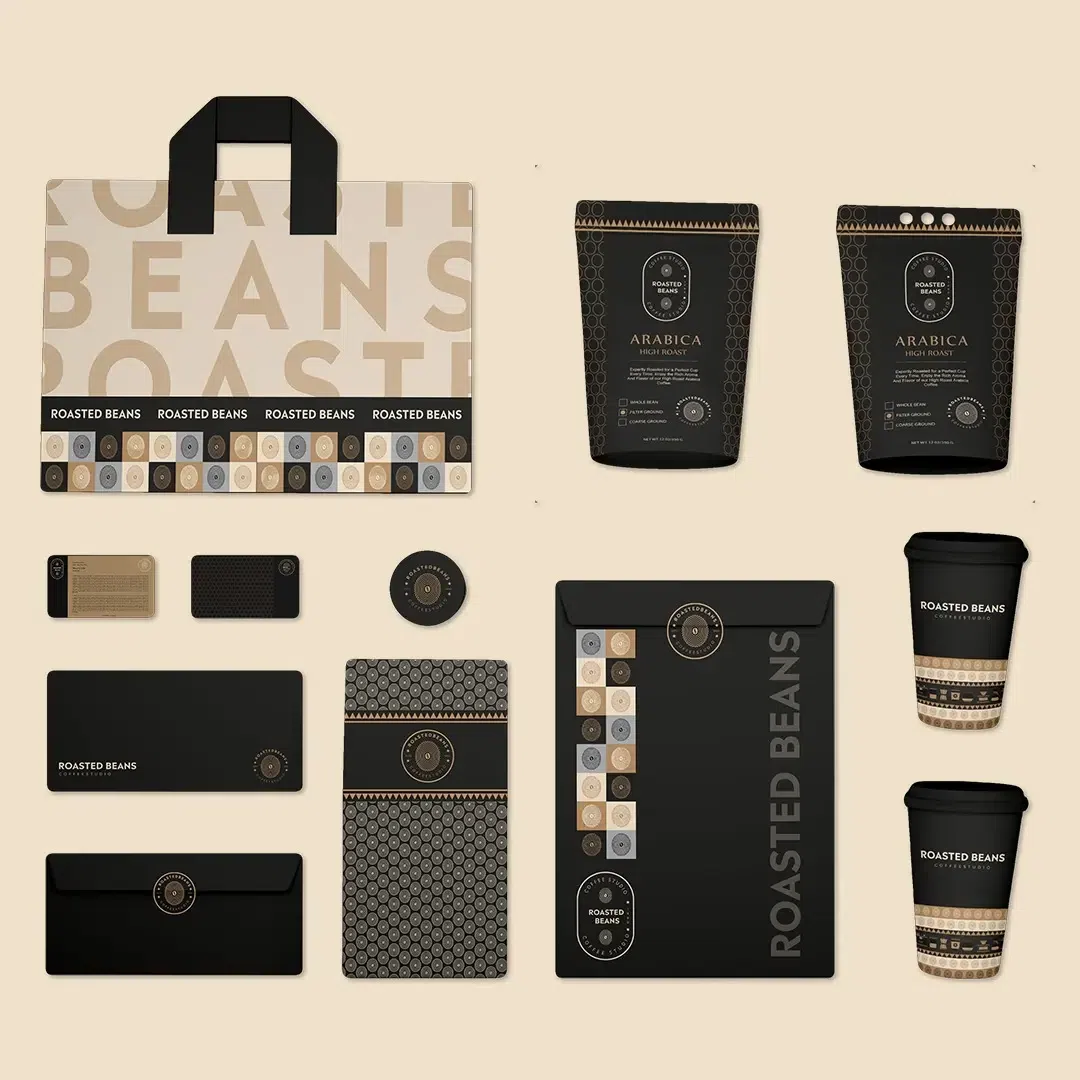
Create a fictional café for office workers who want a quick, calm lunch break. Define a name, audience and positioning. Develop a simple identity and apply it to a menu cover and a takeaway label. Test the mark in one colour and at a small size. Do not copy an existing Lahore café’s identity.
Brief 2: A course-information campaign
Invent a clearly fictional learning event with a supplied title, date, location and action. Create a portrait post, a square post and a wide banner. The challenge is to keep the information accurate and readable while adapting the composition. Label the event as a concept so nobody mistakes it for a real announcement.
Brief 3: A product promotion with fixed assets
Use a product photograph you own or have permission to use. Make a promotional composition in which the product’s shape and label remain accurate. Create two alternative layouts, then explain which gives the main message more clarity. Avoid fabricated sales figures or product benefits.
These are independent exercises, not a claim about Creative Fox Studio’s syllabus or required final projects. If you take a course, follow its original outline and use these prompts only where appropriate.
Keep evidence while you work
Save the brief and a small number of meaningful drafts. Capture the stage where a decision changed: a crowded headline becomes clearer, a logo loses unnecessary detail, or the product image moves to improve the reading order. A process section should explain a choice, not display every file you created.
Ask for focused critique from someone who can inspect the work carefully. Record what they actually said. Do not invent feedback to make your project look tested. If you have no external reviewer, label your review as a self-assessment and explain the criteria.
For each revision, write a short note such as: “I reduced the secondary text and moved the action below the offer so the reading order is clearer.” That is more useful than saying that the revised design is “premium” without explanation.
Use a clear case-study structure
- Project label: State whether it is client work, a student assignment or a self-initiated concept.
- Problem and audience: Explain what the design needs to communicate and to whom.
- Your role: Identify what you created and what came from supplied assets or collaborators.
- Constraints: Include formats, required content, fixed brand assets and relevant limits.
- Direction and revision: Show one meaningful alternative and why you changed it.
- Final work: Present readable flat designs as well as useful contextual views.
- Reflection: State what improved, what remains uncertain and what you would do next.
A simple opening could read: “Self-initiated café identity concept. I created the visual identity and two applications for a fictional lunch café. The aim was clear recognition at small sizes and a calm tone for nearby office workers.” This describes work without pretending that a business hired you.
Review the portfolio with a practical rubric
| Criterion | Question | Evidence to show |
|---|---|---|
| Communication | Is the intended message easy to identify? | Brief and final layout |
| Typography | Is the text readable at its actual size? | Flat artwork and close details |
| Consistency | Do related pieces feel like one system? | Several applications together |
| Accuracy | Are required details and fixed assets preserved? | Checked copy and source comparison |
| Judgment | Can you explain a revision? | Before/after with an honest note |
| Handoff | Are exports and editable files organized? | Clear file names and delivery summary |
Mark each criterion as ready, revise or not yet demonstrated. Fix weak evidence before adding decoration to the presentation. This is an educational review method, not a certification or a prediction of employment.
Make the work easy to inspect
Use a consistent presentation style with enough room around the artwork. Begin with the project’s strongest relevant image, then explain the brief. Let a reader inspect the actual design without needing to zoom into a tiny mockup.
A PDF, a portfolio platform or an existing website can all be useful containers. Choose one you can maintain and test the result on a phone and a larger screen. Check links, readable text, image quality and whether contact information is easy to find. Avoid uploading enormous files merely to claim high resolution.
Keep private client information out of the portfolio. Get permission before publishing client work, and explain your role in collaborative projects. If you use stock assets, templates or AI-generated elements, identify their role honestly instead of claiming every component was drawn or photographed by you.
Follow a four-week portfolio-building plan
This suggested plan is for independent practice and can be extended to fit your schedule.
- Week 1: Choose your direction, write three briefs and collect permitted source assets. Finish the first project draft.
- Week 2: Complete drafts for the other two projects and request specific feedback.
- Week 3: Revise the weakest decisions. Check all text, dimensions and fixed assets.
- Week 4: Write short case studies, assemble the portfolio and ask someone to inspect it without your explanation.
Ask that reader what they think you can do, which project is strongest and what was confusing. If their answer differs from your intended direction, revise the selection or explanation. More projects are not always the answer.
Connect portfolio practice with structured learning
If you need help developing your design foundations and reviewing work, explore the Graphic Design with AI course at Creative Fox Studio. The course lasts two months and provides One-on-One guidance online at PKR 16,000 or onsite at PKR 35,000. Review the original course outline for scope and confirm the current arrangements before joining.
Use the online-versus-onsite comparison if you are deciding how to study. If your goal is interface design or moving-image work, compare the UI/UX and AI Video course options instead of assuming a graphic design portfolio covers every creative discipline.
Frequently asked questions
Can I build a portfolio without clients?
Yes. Create original self-initiated projects and label them honestly. You can demonstrate decisions and craft without pretending the work was commissioned.
How many projects should I include?
Begin with a small selection you can defend. Three developed projects are a useful working target for this guide, not a requirement set by every employer.
Should I include every course assignment?
No. Select work that supports your direction and revise it before presenting it. Practice work can remain private while you improve it.
Can I include AI-assisted work?
Yes, where its use and the underlying assets are appropriate for the project. Explain what you directed, generated, edited and checked. The portfolio should reveal your contribution.
What if I cannot show business results?
Describe observable design changes and learning. Do not invent sales, conversions, reach or client praise to fill the gap.
A worked example of a portfolio review
Consider the fictional course-information campaign above. In a first draft, suppose the event name and three supporting sentences all use the same large type size. A self-review identifies a hierarchy problem: the main message does not have a clear visual priority.
Revise the event name as the main heading, shorten the supporting paragraph and place the action directly below the essential details. Save both versions. In the case study, write: “I revised the type scale and grouped the action with the event details. I still need to check whether readers can find the date quickly.”
This is an illustrative critique, not feedback from a real participant. It demonstrates how to separate an observable layout change from an untested claim about effectiveness. If you later ask someone to review it, record their actual response rather than replacing it with a more flattering quote.
For AI-assisted components, check source permissions, output accuracy and disclosure. If you are choosing a discipline, compare graphic design and UI/UX portfolio expectations.